Skip to content
EDGE Affiliates

Solution · Business Systems Modernization

Legacy systems nobody wants to touch.

Overlapping tools and one-person spreadsheets create quiet risk. We map the stack, retire what is unused, and connect what the business actually runs on.

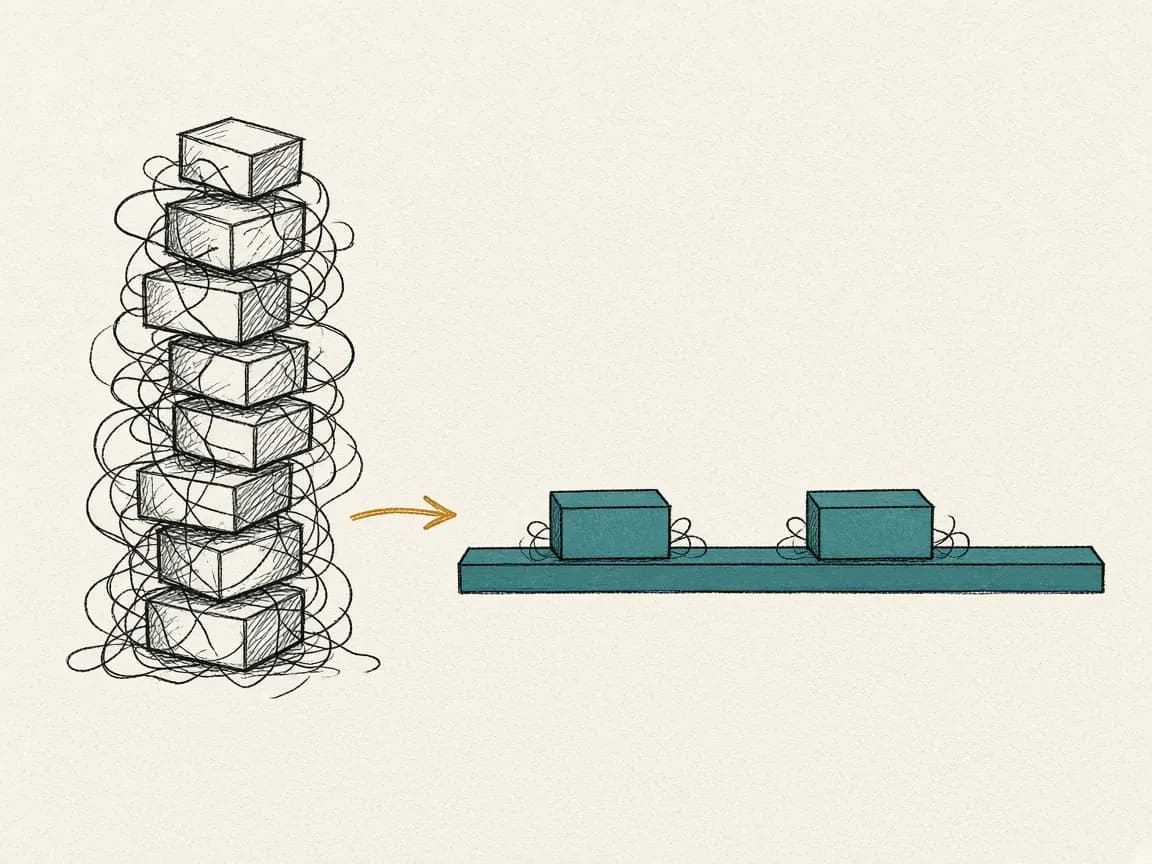
Diagram: a wobbly stack of old blocks being re-wired one by one onto a clean horizontal backbone.

You'll recognize it when

The signs, in your words.

  • The same customer, order, or ticket is typed into two systems by hand.
  • One person knows how the integration works, and that person is busy.
  • A past migration went badly, so every proposal to change anything gets a quiet no.
  • Reporting means exporting from three places and fixing it in a spreadsheet.

Why it gets expensive

What it costs while it waits.

  1. 01Every manual bridge between systems is a place where data drifts and nobody notices until a customer does.
  2. 02Key-person risk compounds: the longer the system runs on one person's memory, the harder the eventual change.
  3. 03New hires take months to learn the workaround map instead of the job.

How we approach it

The same four steps, applied to this problem.

  1. 01

    Assess

    Map every system, every integration, and every manual bridge between them. Mark the ones that carry revenue or customer-facing work.

  2. 02

    Roadmap

    Design the target backbone and a cutover in phases, each one small enough to reverse and large enough to remove a real manual step.

  3. 03

    Implement

    Connect or replace one system at a time, run the old and new path in parallel where the risk justifies it, and cut over on a date people agreed to.

  4. 04

    Enable

    Document the new backbone, train the owners, and retire the spreadsheets that used to hold it together.

What you walk away with.

  • Current-state integration map with manual bridges marked
  • Target architecture and phased cutover plan
  • Working integrations on the first phase
  • Admin documentation and a named owner per system

Platforms involved

CRMAutomationCustom buildEnablement

Categories, not vendors. Specific platforms are chosen against your workflow.

ScenarioComposite, not a client
Two hands passing a single customer record card across a dotted boundary line

A customer record both teams trust

Situation
A B2B team keeps opportunities in the CRM and renewals in a spreadsheet because the two systems do not share a customer.
First move
Define the customer record, design the sales-to-success handoff on paper, and only then configure the integration.
What changes
Success starts work from the same record sales closed on. The renewal date lives in a system, not a tab.
Revenue Operations Enablement

Questions we get about this

Do we have to replace everything?

Rarely. Most modernization is connecting what should stay, retiring what is unused, and replacing the one or two systems that block the rest.

How do you avoid breaking work during cutover?

Phases are sized to be reversible, high-risk paths run in parallel for a defined window, and the cutover date is set with the people who answer the phone that day.

What if no platform does what our old system does?

Then a small custom piece is scoped inside the same engagement. The goal is the backbone, not a particular vendor.

Next step

Tell us which system everyone is afraid to replace.